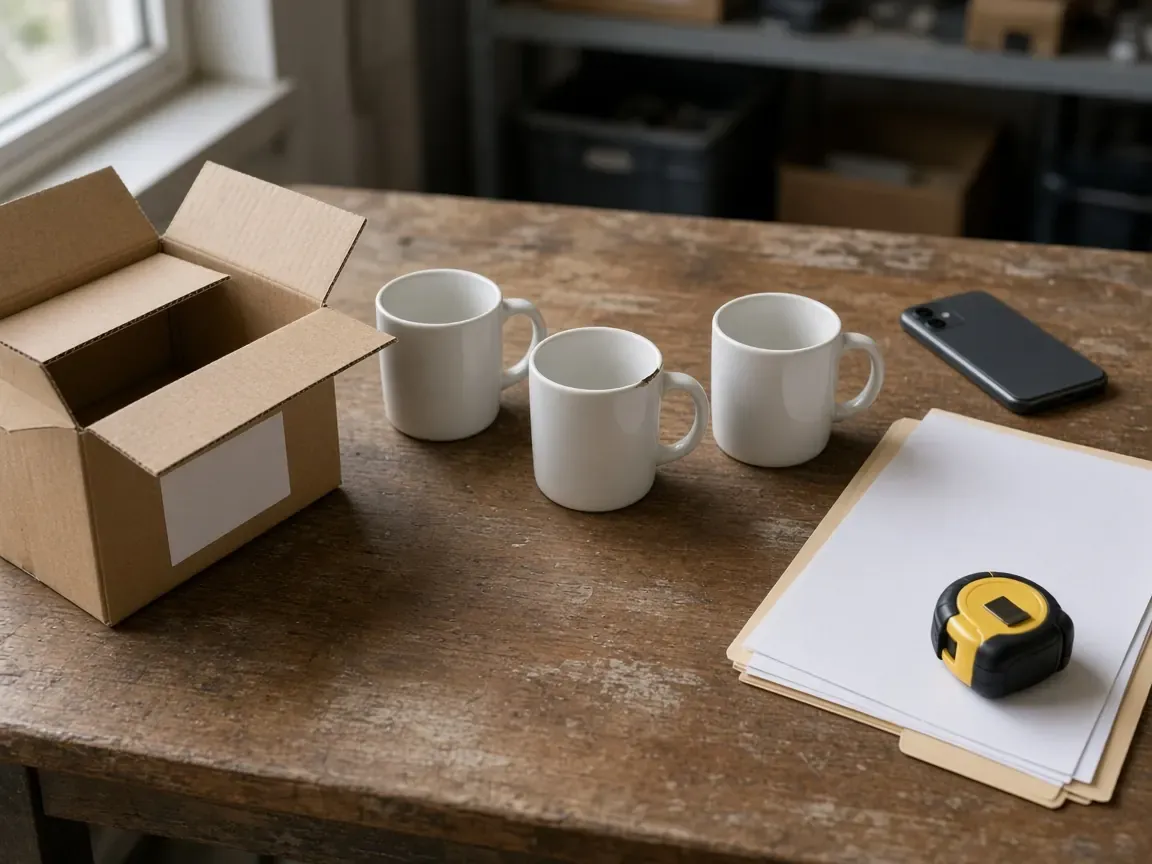
A damaged, missing, or unshipped wholesale lot fails the Trade Assurance refund path when the dispute file never names the order term it breaks.
Copy the deadline on your Alibaba.com order, then match each problem to a written clause, one carton or sample, and one original file.
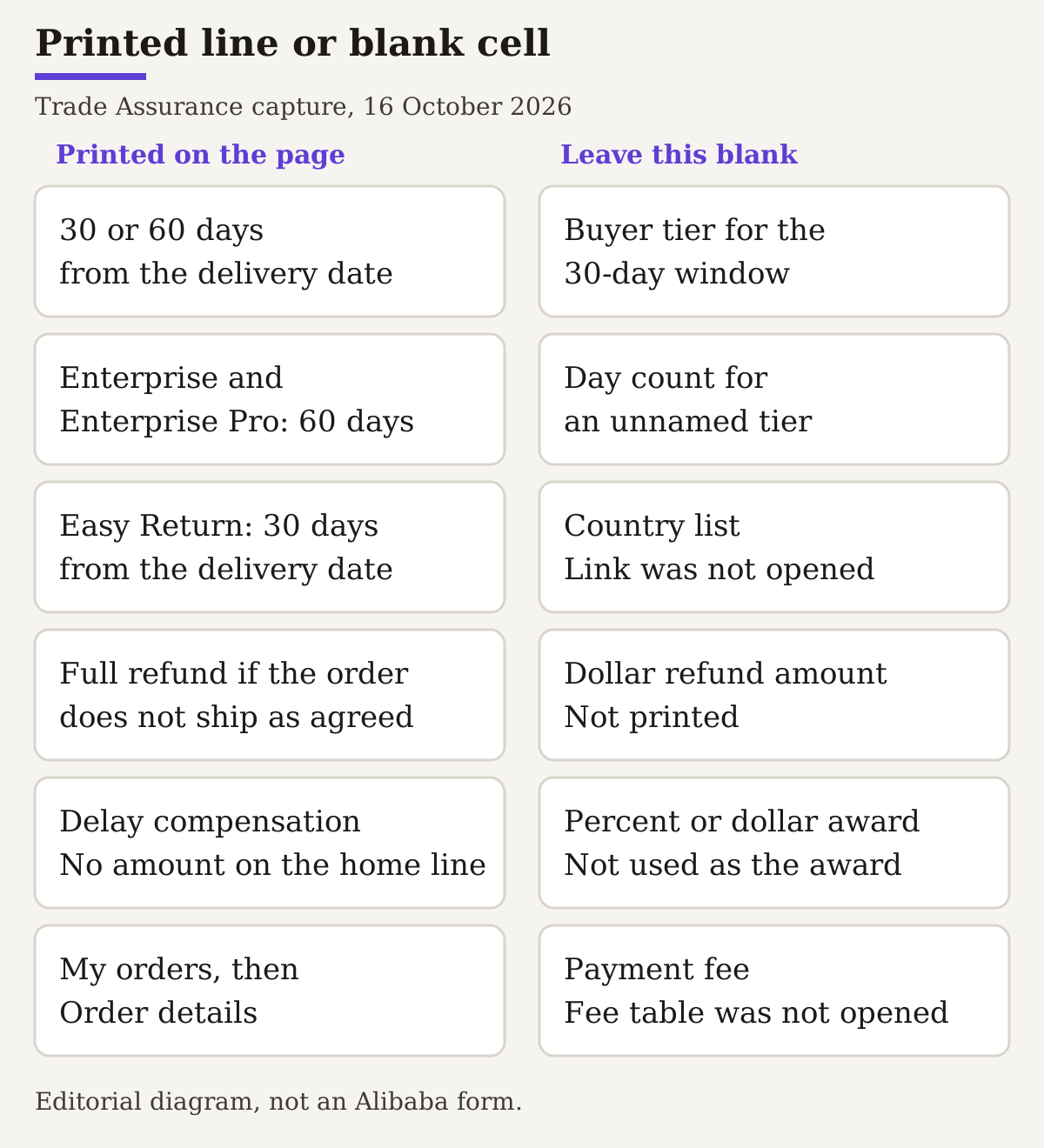
File each Alibaba Trade Assurance dispute against the order you paid on Alibaba.com. The saved landing page says you reach an order agreement there, pay by online checkout or by a wire via Alibaba.com, and can claim a refund if the order has not shipped, goes missing, or arrives with defects, incorrect items, damage, or other product issues. Apply from My orders, then Order details. That page names the claim types and the apply path. It does not list the photos or files to attach, and the home shipping line offers delay compensation without an amount. Use one row per problem, tied to a written clause, a carton or sample, and an original file. Leave a cell blank when the page prints no figure. The Easy Return country list was a link, and that link was not opened.
Scroll horizontally to see all columns →
| Item | Printed on the capture | Why it belongs in the file |
|---|---|---|
| Order path | Agreement on Alibaba.com, then online checkout or a wire via Alibaba.com | A side payment is a different record |
| Where to apply | My orders, then Order details | Refund, Easy Return, and delay claims start there |
| Refund window | 30 or 60 days from the delivery date | Copy the deadline on your order screen |
| Named 60-day tier | Enterprise and Enterprise Pro | The footnote names this tier only |
| 30-day buyer tier | The page does not name it | |
| Easy Return countries | The country-list link was not opened | |
| Delay compensation amount | The home shipping line prints no amount | |
| Payment fee | The fee table was not opened | |
| Evidence list | The index below is an editorial worksheet |
Keep the file on the Alibaba.com order
The landing page describes four steps. You reach an order agreement with a supplier on Alibaba.com. You check out with an online payment method or make a wire transfer via Alibaba.com. The payment is held in escrow and released to the supplier after the product is received and confirmed. If the order terms are not met, the page says Alibaba.com will assist with a resolution, including refunds or compensation.
The payments module says a payment through Alibaba.com is encrypted and processed in real time, and it says never to pay outside the platform. It also says a fee is applied and links a fee table. That table was not opened, so the fee cell stays empty. A supplier you found on the site, then paid some other way, is a different record. Compare that route in the China wholesale websites guide. This worksheet sits with the other sourcing guides.
Write these lines at the top of the folder before you attach anything:
- Order ID, as the screen shows it.
- Order type or stage, as the screen shows it.
- Payment through Alibaba.com: online checkout, or a wire via Alibaba.com.
- Supplier name on that order.
- The written terms you will compare: the specification version, and any sample, approved design, or inspection standard the order names.
The landing page does not print those five lines. They are the folder header so a later row can point at a term. If the order names no sample and no standard, leave line 5 blank.
Use the claim label the page prints
The money-back line says you can claim a refund if the order has not been shipped, goes missing, or arrives with defects, incorrect items, damages, or other product-related issues. The refund-policy line groups the same cases: orders that have not shipped, orders that are missing, or orders with product issues such as defective, incorrect, or damaged goods.
The labels sort the file. Eligibility is a later finding. The refund step says the refund is issued if Alibaba.com finds the claim eligible, and that return of the item may be required.
One line is narrower than the general refund. The quick-refund feature says you are entitled to a full and immediate refund if the order does not ship as agreed. That sentence prints no dollar amount. Leave the amount cell blank.
The purchasing-journey line names product disputes and shipping disputes, and mediation between buyers and suppliers. If there is a problem with the refund, the page says Alibaba.com will help mediate to get the money back.
Scroll horizontally to see all columns →
| Claim label on the page | Dominant failure mode | Prevention |
|---|---|---|
| Not shipped | A chat payment with no Alibaba.com order | Use the order ID paid through Alibaba.com, and the not-shipped status on that order |
| Missing | A tracking memory with no shipment line on the order | Copy the shipment status the order shows |
| Defect, incorrect item, or damage | One photo, with no clause and no carton count | One row: clause, extent, carton or sample, original file |
| Delay | A marketing percent written into the award cell | Copy the scheduled date on the order. Leave the amount blank |
Copy the clocks that are printed
The refund feature says you can apply within 30 or 60 days from the delivery date. The footnote names one tier: Enterprise and Enterprise Pro buyers can claim within 60 days. The page does not name which buyers get the 30-day window. Leave that cell blank. Copy the deadline your order screen shows, and the timezone if the screen prints one.
Easy Return’s free-return line says returns at no cost within 30 days from the delivery date. That sentence is separate from the 30-or-60-day refund window. Keep both clocks in the file, each with the sentence it came from.
The home shipping line says to expect delivery by the scheduled date or to receive delay compensation. It does not print an amount. A bundled on-time-delivery string in the same capture prints a percent and a dollar cap. Those marketing figures are not the dispute award, so they stay out of the amount cell.
The home money-back line offers Easy Return in an eligible country and links a country list. That link was not opened. The country cell stays blank. A hint in the same capture says Easy Return is available for orders under USD 3,000 and then names countries. USD 3,000 is an order-value line in that hint, not a refund amount. The country names are not repeated here.
Scroll horizontally to see all columns →
| Field | 16 October 2026 capture | Your order screen |
|---|---|---|
| Order or dispute ID | ||
| Refund window | 30 or 60 days from the delivery date | |
| Named 60-day tier | Enterprise and Enterprise Pro | |
| Buyer tier for the 30-day window | ||
| Easy Return free-return line | 30 days from the delivery date | |
| Easy Return countries | ||
| Delay compensation amount | ||
| Dollar refund amount | ||
| Payment fee | ||
| Timezone shown | ||
| Submitted at, and the status the screen shows |
Apply from My orders, then Order details
The refund sequence on the page has three steps, and it prints no waiting period between them. Do not insert a day count.
- Apply for a refund if the order does not meet the agreed terms. Go to My orders, then Order details.
- Negotiate with the supplier. If the supplier does not respond, or you cannot reach a consensus, escalate the case for Alibaba.com to help resolve.
- If Alibaba.com finds the claim eligible, the refund is issued. Return of the item may be required.
Easy Return is the path for products that arrive defective, incorrect, or damaged. The page’s own sequence is:
- Find products that support Easy Return and Refund. The capture prints that title and no further instruction for the step.
- Apply from My orders, then Order details, if the product does not meet the agreed quality.
- Send the product to a local warehouse according to the return instructions provided.
- You receive a full refund once the return has been processed.
Save the return instruction, the address it shows, and the date before the goods move. The page does not print a default warehouse address.
The delay sequence is for products that support delivery via Alibaba.com Logistics. Pay on Alibaba.com. If the products are not delivered by the agreed date, go to My orders, then Order details, and make a claim. For Scaleup, Enterprise, and Enterprise Pro buyers, the page says compensation is issued to their accounts automatically. The compensation step says to collect platform coupons that can be used on future Alibaba.com purchases. That coupon line is the printed form of compensation. It is not a dollar amount. The refund footnote’s 60-day tier (Enterprise and Enterprise Pro) and the delay line’s automatic tier (Scaleup, Enterprise, and Enterprise Pro) are different lists. Keep them apart.
Machinery with a 1-year warranty tag uses another path. Apply from My Alibaba, then Orders, then Order details, for the 1-year warranty service. The page says you can submit within 13 months from the dispatch date. The seller provides replacement parts, and Alibaba.com covers the shipping costs. If you choose a third-party repair, the page says those costs are reimbursed during the repair. A footnote prints a reimbursement cap. That cap is not a dispute award, so the award cell stays blank. The participating-country link on that footnote was not opened.
Give each problem its own evidence row
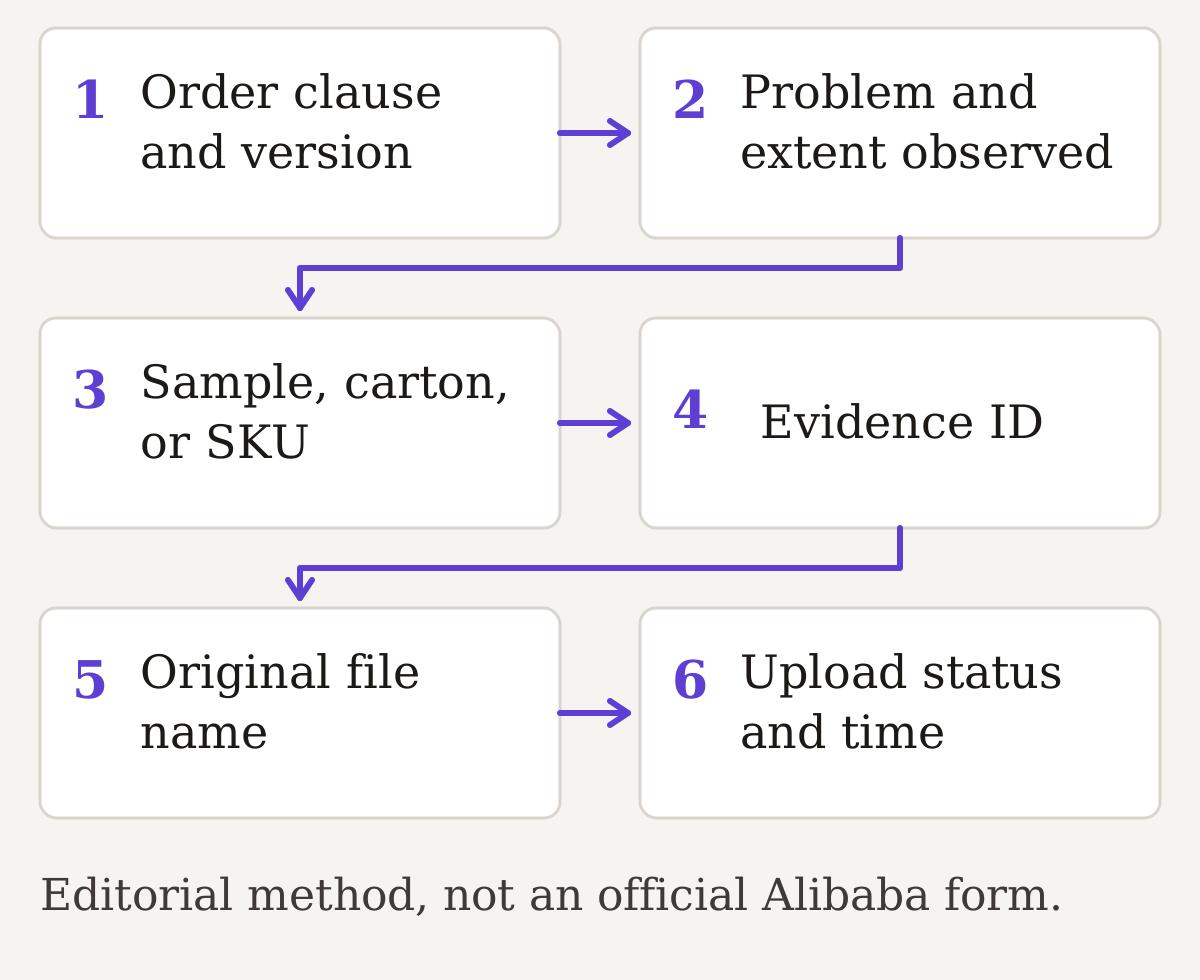
The landing page does not list evidence items. It never says a claim needs a photo, a video, and an inspection report. The index below is an editorial worksheet: one problem, one clause, one original file.
A short shipment and a wrong label are two rows, even when they arrived in the same container. The evidence ID stays the same if you later export a copy for upload.
Scroll horizontally to see all columns →
| Clause and version | Problem and extent | Sample, carton, or SKU | Evidence ID and original file | Upload status |
|---|---|---|---|---|
If a pre-shipment inspection report already carries evidence IDs, reuse those IDs so the dispute row and the inspection row point at one file. The quality-control inspection guide is where those IDs are assigned. The quality-control checklist holds the carton and method fields.
Rule of thumb. If opened cartons below 1 under a defect, incorrect-item, or damage complaint, stop the row. Those labels describe goods that arrived. A row with no opened carton has no unit to show.
Record the share you actually opened
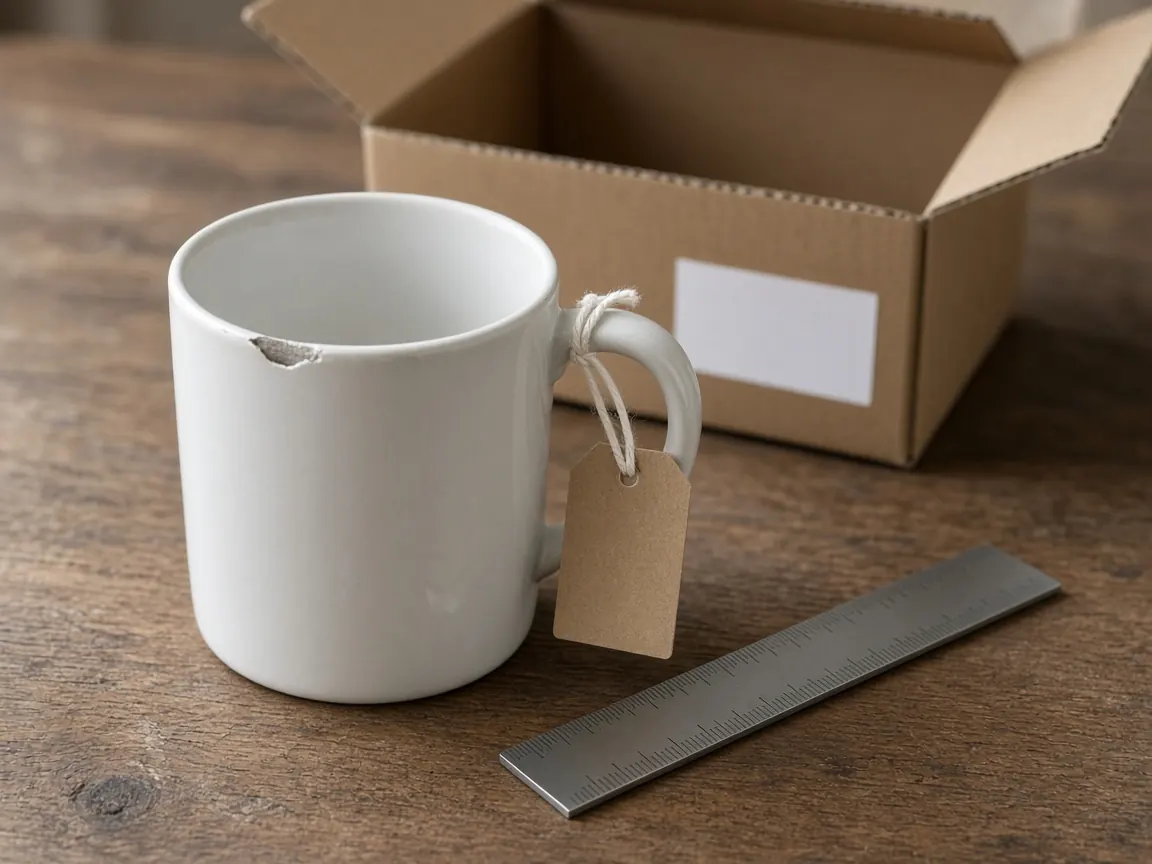
A chipped unit shows the unit in front of the camera. Write how many units you opened, which carton IDs they came from, and which cartons stayed sealed. A ruler in the frame shows scale. It is not a material test, and it is not a count of the sealed cartons.
Examined share = units examined / units received.
Worked example, arithmetic on assumed counts. It is not an Alibaba limit and not a refund share. Assume 36 units examined and 180 units received.
Examined share = 36 / 180 = 0.20.
Unopened units = 180 - 36 = 144.
The row covers 36 units. The other 144 stay in the unchecked cell. Arithmetic only.
Rebuild minutes = incomplete rows × minutes allowed per row.
Second worked example, arithmetic for your own time. It is not a platform fee. Assume 5 incomplete rows and 12 minutes to reconstruct each row from the order screen.
Rebuild minutes = 5 × 12 = 60.
The 60 minutes are assumed reconstruction time. The fee table was not opened, so this result is not a fee.
Scroll horizontally to see all columns →
| Field | What to write |
|---|---|
| Units examined | Count, and how you chose them |
| Carton or sample IDs | IDs you opened or photographed |
| Method | Photo, count, or the named instrument |
| Unchecked remainder | Cartons or units you did not open |
Call it submitted only when the order screen says so
Keep the original file unchanged. A crop, an arrow, or a note belongs on a copy with a new name. The evidence ID points at the original. The upload can be the copy if the row says which file went up.
These three words are worksheet words. The landing page does not print them.
Scroll horizontally to see all columns →
| Status | When to write it |
|---|---|
| Selected | The file is chosen on your computer. It is not attached on the order. |
| Draft | It sits on the form, and the order screen does not show a submission. |
| Submitted | The order screen shows a submission time or reference you copied. |
The captured page does not say that attaching a file pauses the deadline. After you submit, copy the new status and any new deadline into the record above.
Scroll horizontally to see all columns →
| Date, time, timezone | Event and record ID | Response shown | Next action on the screen |
|---|---|---|---|
Before you use an escalation prompt, check three items. The deadline and timezone in your record match the current screen. Each problem row has a clause, an extent, and an original file. Any return instruction is saved, including where the goods are supposed to go, before you ship them.
When this page does not fit
Use another record when the payment never went through an Alibaba.com order. Keep the receipt and the channel you used, and start from the route check in the wholesale websites guide.
The 1-year warranty path is a parts-and-repair record. Keep its 13-month window, counted from dispatch, out of the goods-refund deadline cell.
A card or bank dispute follows the issuer’s own process. Add a dated notice to the timeline if one arrives. This guide does not describe chargebacks.
When the file is finished, write the missing clause into the next order. The wholesale RFQ template is the field list. The supplier verification guide is the check before the next deposit. The supplier scorecard is where the unresolved evidence stays visible.
Method and limits
Updated October 2026. Dispute steps, clocks, and the lack of an evidence list come from a saved copy of the Alibaba.com Trade Assurance landing page, captured 16 October 2026. The footer on that copy reads 1999-2024. A request for the same URL on 18 October 2026 timed out and was not retried. A local-library search for Alibaba.com Trade Assurance returned no document, so no library clock was added.
The home shipping line does not print a delay-compensation amount. A bundled on-time-delivery string prints a percent and a dollar cap. Those figures are not used as a dispute award. The Easy Return country-list link, the payments fee table, and the warranty country link were not opened. The evidence index, the three status words, and both arithmetic examples are an editorial method. No buyer order was filed for this page.
Frequently asked questions
Does the Trade Assurance page list the evidence files a dispute needs?
No. The saved landing page names the claim types and the path from My orders to Order details. It does not list photos, videos, or inspection reports. The evidence index on this page is an editorial worksheet.
What refund window does the page print?
You can apply for refunds within 30 or 60 days from the delivery date. The footnote says Enterprise and Enterprise Pro buyers can claim within 60 days. The page does not name the buyers for the 30-day window. Copy the deadline your order screen shows.
Does the home shipping line print a delay compensation amount?
No. That line offers delay compensation and does not print an amount. Leave the cell blank. Do not fill it from a marketing percent or a dollar cap elsewhere on the page.
What should I write for Easy Return countries?
Leave the cell blank. The country-list link on the captured page was not opened. Save the return instruction shown on your order before the goods move.